


Axanto Patch Manager rolls out Windows updates in controlled, approval-gated waves — with a continuous view of every machine’s patch status.
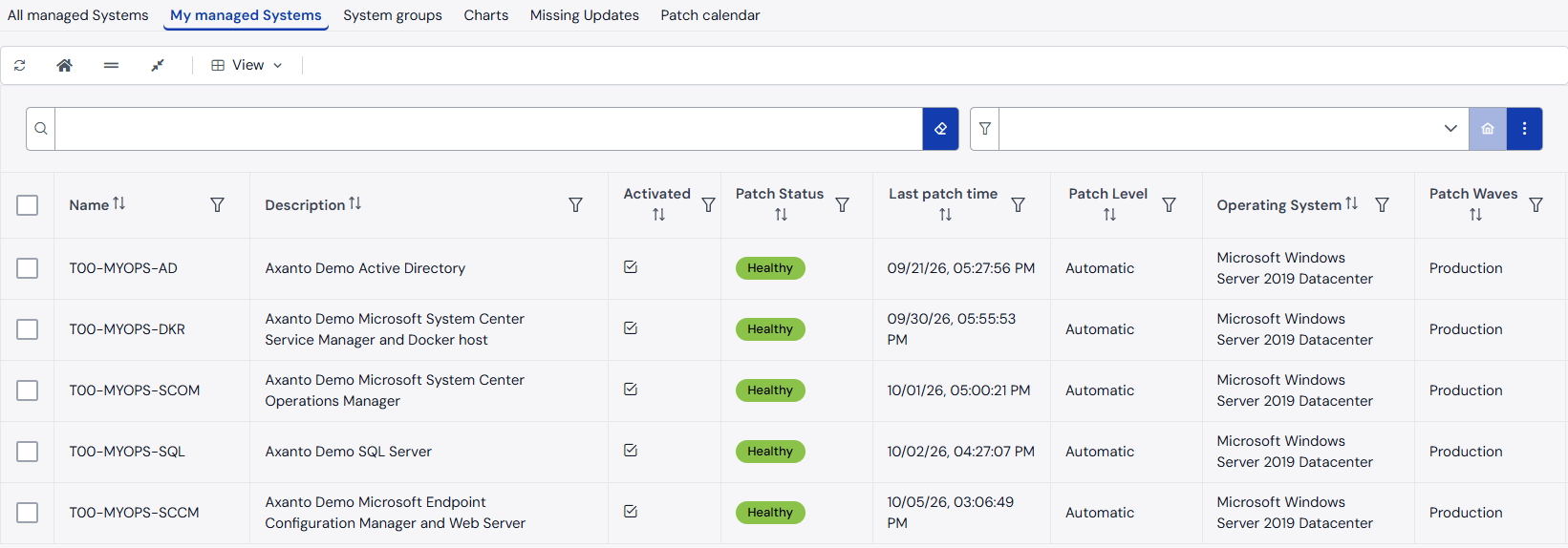
Axanto Patch Manager synchronizes machines, collections and update processes from System Center Configuration Manager, and organizes them into patch processes and rollout waves — for example DEV, QA and PROD — with configurable durations, approval steps, maintenance windows and deployment levels. When an activity starts, the system records its schedule and creates the matching SCCM deployments for manual, semi-automatic and automatic installation. Status and missing updates are checked continuously, and overdue activities are escalated.
Your benefits:
• Phased waves (e.g. DEV/QA/PROD) with a fixed sequence and duration
• Approval by configured approvers before a process or a wave starts
• Per-machine patch status – critical, warning or healthy – including missing updates
• Reminders and escalation mail for overdue activities
Who is it for?
For organisations that distribute Windows updates with Configuration Manager and want to involve service and application owners – without giving them the Configuration Manager console.
How it fits in
Patch Manager is a module of the Axanto Portal. It reads machines, collections and updates from Configuration Manager and creates the collections, update groups, maintenance windows and deployments for each wave there. During a wave it can put systems into maintenance mode in SCOM or Icinga. Everything runs in your own infrastructure. The only outbound connection is a daily download of current CVE scores from Microsoft – no customer data is sent, and matching against your updates happens locally.
Requirements:
• Axanto Portal with a licence for the Patch Manager module
• Microsoft Configuration Manager
• Optional: SCOM or Icinga for maintenance windows
Interested? Request a demo